Get the Whole Team Working on the Right Cases

With Triage powered by CI, teams always know which high-impact step to take next to keep cases moving. AI continuously scans your firm’s caseload, identifies what matters most, and recommends the next best actions to keep cases on track. That ensures cases keep moving forward and teams stay steps ahead of every crisis.
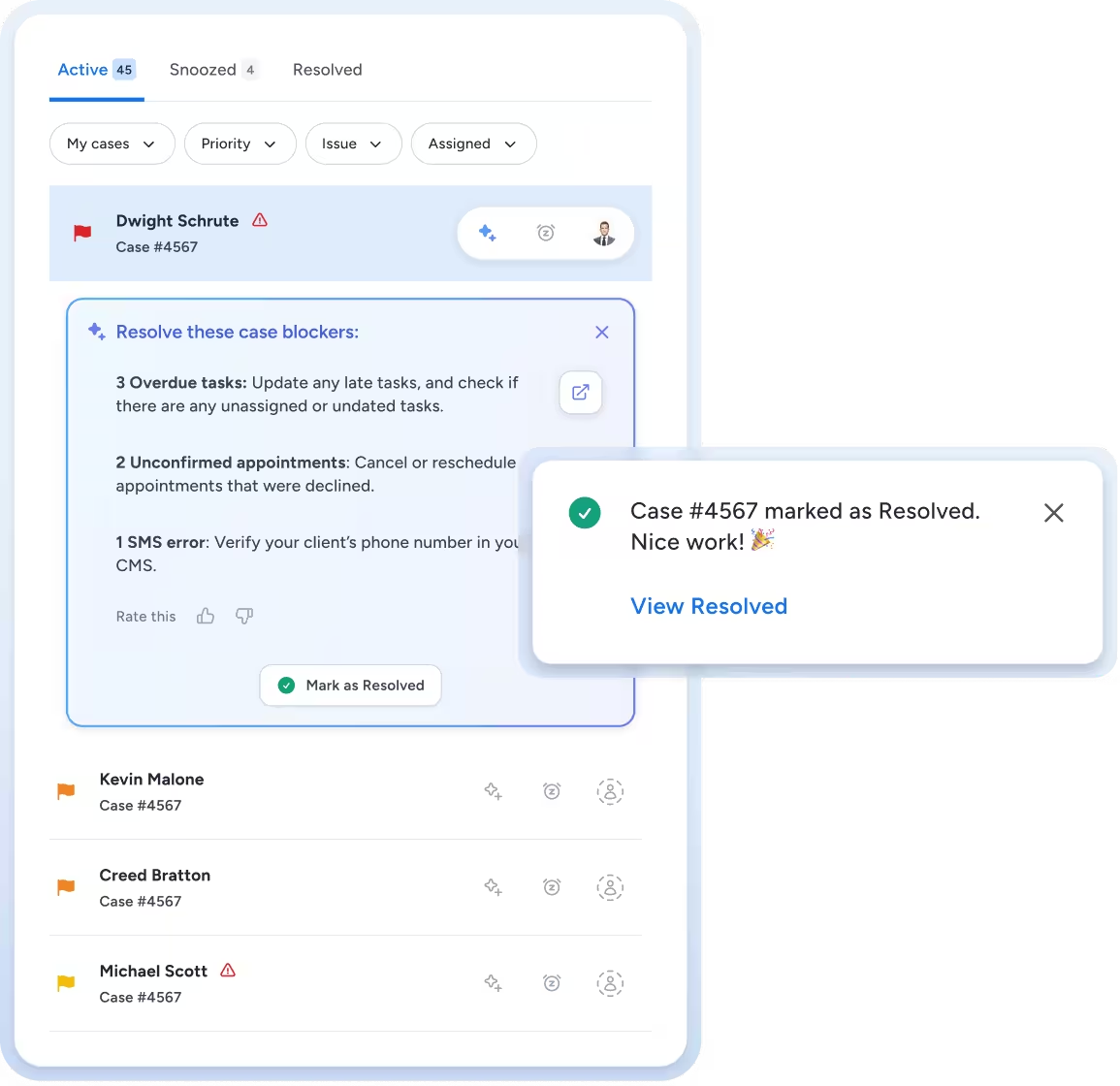
User interface showing active case list with a highlighted case for Dwight Schrute listing overdue tasks, unconfirmed appointments, and an SMS error, with an option to mark as resolved and a confirmation message displayed.
Smooth gradient background transitioning from blue at the bottom to black at the top.

Scan, Prioritize and Act. It's That Simple.

AI Scans Your Caseload

Client Intelligence continuously analyzes every case using engagement data, deadlines, client behavior patterns, sentiment scores and case progress indicators to calculate a dynamic Triage Score for each case.

Priority Cases Surface Automatically

Your team sees a clean, modern priority view for the whole firm that organizes cases from most to least urgent using a red/yellow/green status. No more digging through case data, documents or email or guessing which client needs attention—the system tells you.

Recommended Actions Keep Cases Moving

For each prioritized case, Triage CI identifies blockers (missing documents, overdue appointments, silent clients) and recommends specific next steps. You and your team assign out each effort to create an action plan. Staff know exactly what to do to maintain momentum.

See it in action

Work Smarter With AI-Powered Case Prioritization

AI-Powered Triage Score
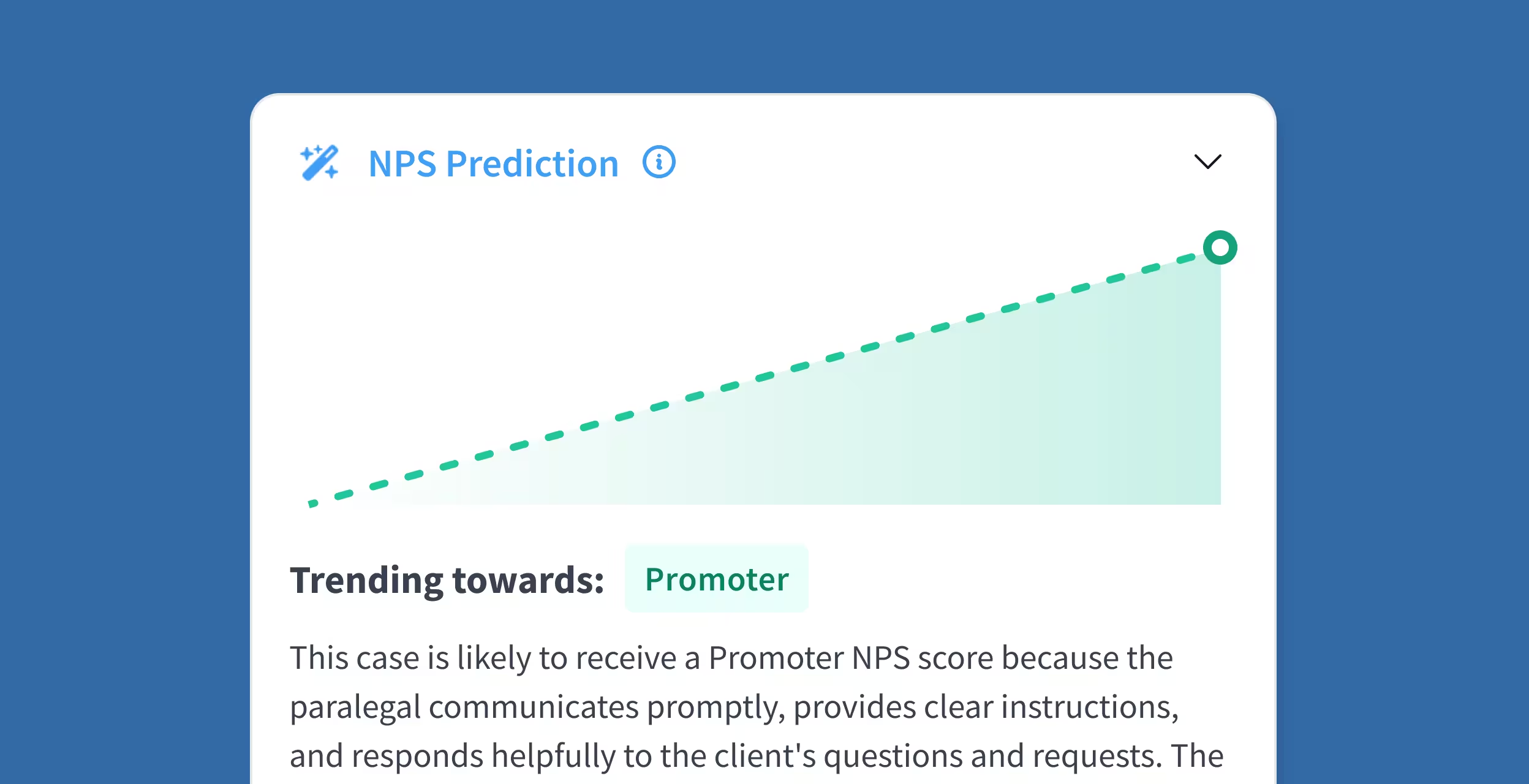
Each case receives a dynamic priority score calculated by the CI Agent based on multiple factors—engagement patterns, deadline proximity, case stage, client responsiveness, and blocker severity. Scores update in real-time as conditions change.
Graph showing an increasing trend in NPS Prediction towards Promoter, with text explaining the case is likely to receive a Promoter score due to prompt communication and clear instructions.

Priority Case View Dashboard

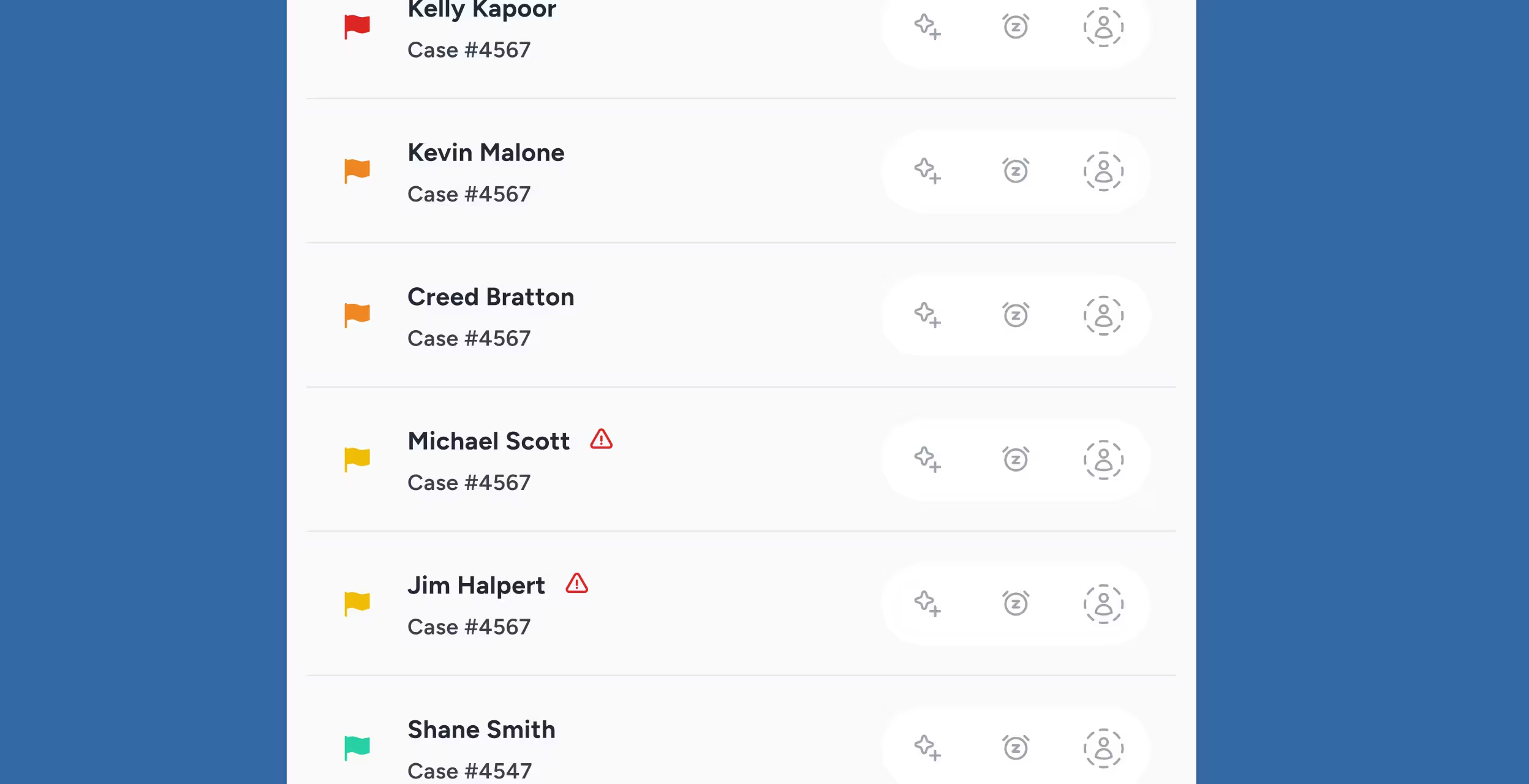
Clean, intuitive interface that surfaces the right cases at the right time. Color-coded urgency indicators (red/yellow/green) provide instant visual clarity. Filter by attorney, practice area, or case stage to focus team efforts strategically.
List of cases with names and case numbers, each marked with colored flags and icons for actions.

Intelligent Blocker Detection

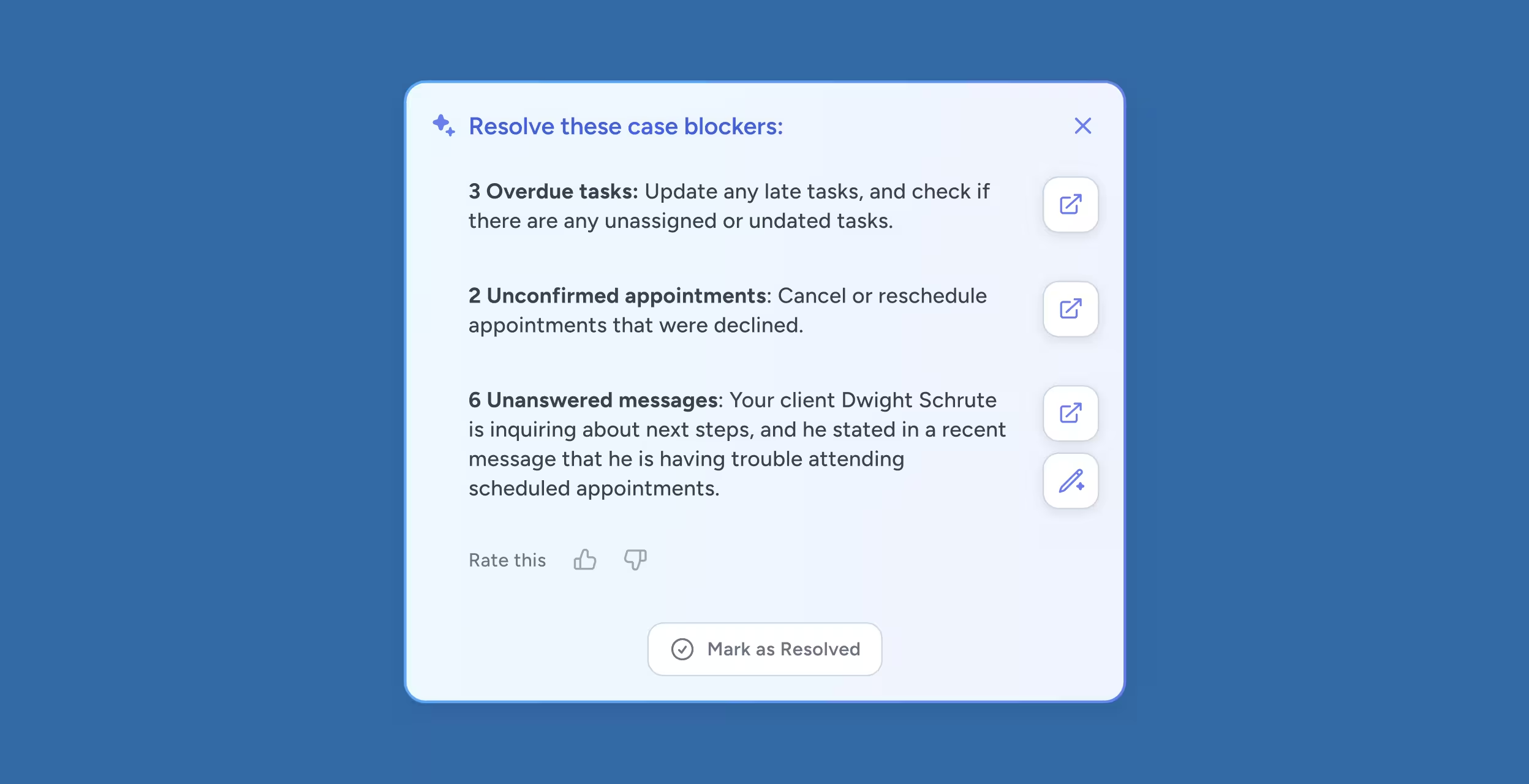
System identifies exactly what's stalling each case—whether it's a missing medical record, an overdue client response, an upcoming statute of limitations, or a scheduling conflict. Each blocker includes AI-generated context explaining why it's critical now.
Task list showing case blockers including 3 overdue tasks, 2 unconfirmed appointments, and 6 unanswered messages about client Dwight Schrute with options to mark resolved.

Actionable Recommendations

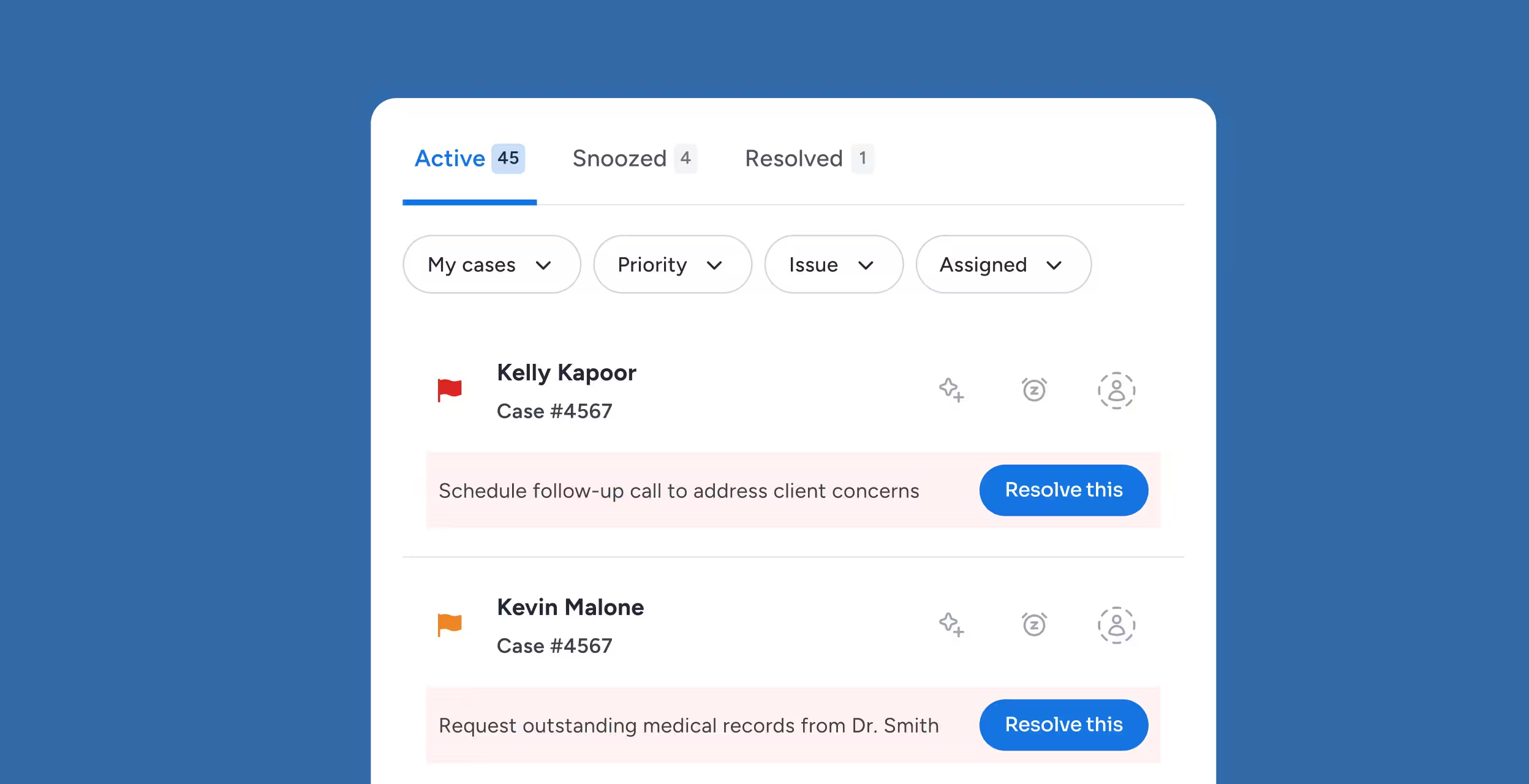
Beyond identifying problems, Triage CI suggests specific next steps: "Send appointment reminder to client," "Request medical records from Dr. Smith," "Schedule settlement call." Staff get clear direction, not just alerts.
Dashboard showing active cases with filters; case details for Kelly Kapoor and Kevin Malone, each with a resolve button.

Flexible Workflow Controls

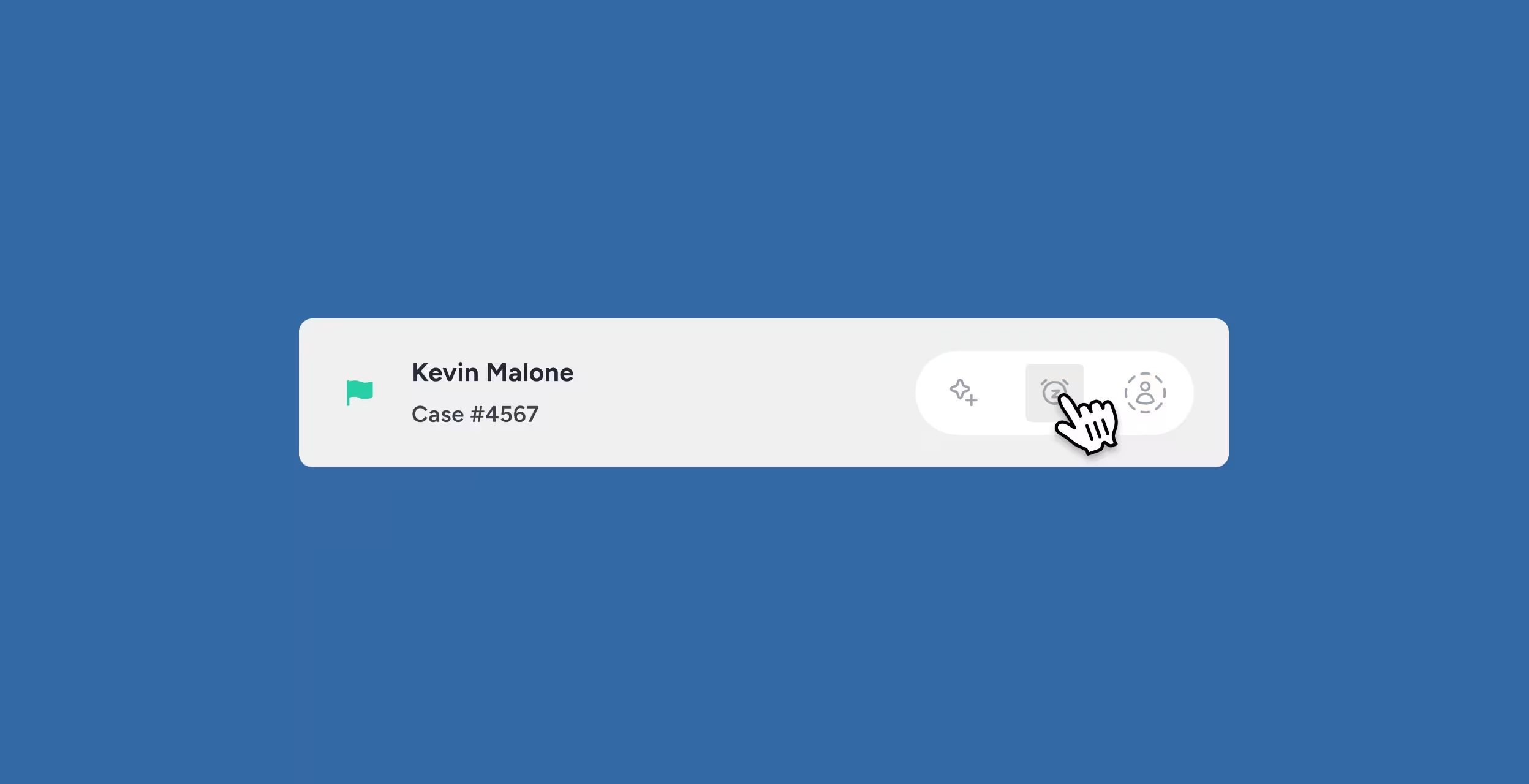
Snooze non-urgent tasks temporarily, reassign cases between team members, adjust priorities manually when needed, and maintain control while benefiting from AI intelligence.
User interface with a case label showing Kevin Malone, Case #4567, and a hand cursor clicking a notification icon.

Turn Chaos Into Clarity With a DynamicWorkflow

Client Data in Client Knowledge

Every written and spoke word, every document and every appointment holds clues to how the case is progressing. Turn this language data into action with Triage.

Client Communication Consolidated

Case Status gets more than 80% of your clients on a single messaging system built into your Case Management. These messages become the fuel for Client Intelligence and the outlet to keep the case on track.

Case Status Tracking

Triage scores reflect real-time case progress updates, ensuring priorities adjust as cases advance through stages

Team Collaboration Features

Reach a “hive” mentality for the whole team. Reassignment and snooze capabilities enable workload distribution across staff based on capacity and specialization

Reporting and Analytics

Track how quickly high-priority cases are resolved, measure staff response times to urgent tasks, and identify systemic bottlenecks causing repeated blockers

Intelligent Prioritization That Protects Deadlines and Reputations

Proactive Deadline Monitoring

AI flags cases approaching critical dates (statute of limitations, court filings, settlement conferences) well before they become emergencies

Client Disengagement Detection

System identifies clients who've stopped responding, logging in, or engaging—triggering intervention before they ghost completely

Resource Allocation Intelligence

Prevents staff burnout by distributing high-priority work evenly and ensuring no single team member gets overwhelmed with urgent cases

Historical Pattern Learning

CI Agent improves recommendations over time by analyzing which interventions successfully unblocked cases in the past

Legal Case Prioritization Software FAQs

How does Triage CI calculate priority scores for cases?

Triage CI creates a dynamic priority score from multiple data points like case stage, message urgency, sentiment, and recent client activity. This helps teams focus on the issues most likely to affect client satisfaction or case outcomes.

Can I manually adjust priorities if the AI recommendation doesn't match my judgment?

Yes. Triage CI is designed to support, not replace, human expertise. Staff can easily adjust scores or override priorities. The system will learn from these tweaks and improve its algorithm.

Does Triage CI work for all practice areas or just personal injury?

All practice areas can benefit from Triage CI. It learns from firm-specific workflows and client interaction patterns and adapts to every practice type, not just personal injury law firms.

How does blocker detection work—what counts as a blocker?

Blocker detection flags any condition that stalls case progress. This can include missing documents, unanswered messages, or unconfirmed appointments. By tending to these bottlenecks early, Triage CI helps staff resolve delays before they turn into problems.

Will Triage CI help reduce staff overwhelm and burnout?

Absolutely. Triage CI organizes staff workload based on real-time priorities and caseload.

It eliminates guesswork and helps teams focus on the areas with the most significant impact, reducing the need for context-switching. This reduces stress and improves the quality of life for staff and clients.

Stop Drowning in Tasks. Start Leading Your Caseload

Transform satisfied clients into powerful advocates for your firm with automated review and referral requests.