Respond with empathy in seconds, not hours.

Message Urgency powered by Client Intelligence, is a powerful Case Status tool that prioritizes clients’ questions and offers AI-generated recommended responses, so your team, whether the founding partner or a new-hire assistant, delivers faster, more thoughtful responses without sacrificing quality.
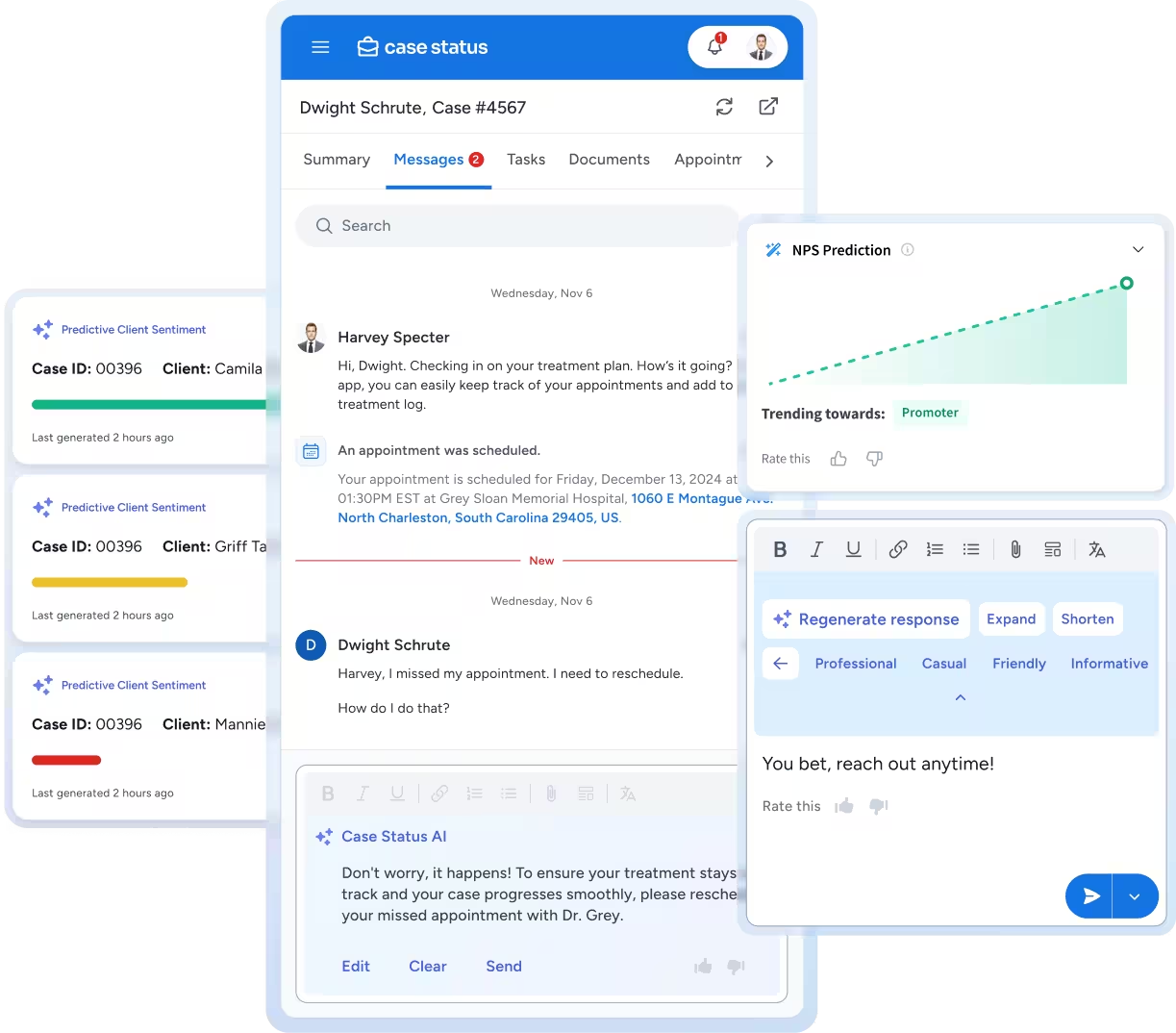
User interface showing case status messages between Dwight Schrute and Harvey Specter, AI-generated response suggestions, predictive client sentiment bars, and an NPS prediction graph trending towards promoter.
Blue gradient background with horizontal waves and light texture.

Prioritize, Generate and Send. It's That Simple.

AI Screens for Urgency

Client Intelligence analyzes incoming messages for urgency signals—tone, context, keywords, case stage, and message thread history. Each message receives a priority score so staff know which clients need immediate attention versus routine updates.

Smart Responses Generate Instantly

Staff moves from author to editor. For each message, the AI recommends three personalized response options based on what the client asked, available case information, previous firm communication patterns, and appropriate tone. Responses draw from your firm's website content, FAQs, message templates, and historical conversations.

Staff Refine and Send

Choose a recommended response to send as-is, edit for personalization, adjust the tone (professional, empathetic, informal), or use quick-edit tools to lengthen or shorten. Every edit feeds back into the system, making future recommendations even better.

See it in action

Respond Faster Without Sacrificing Empathy

Intelligent Urgency Scoring
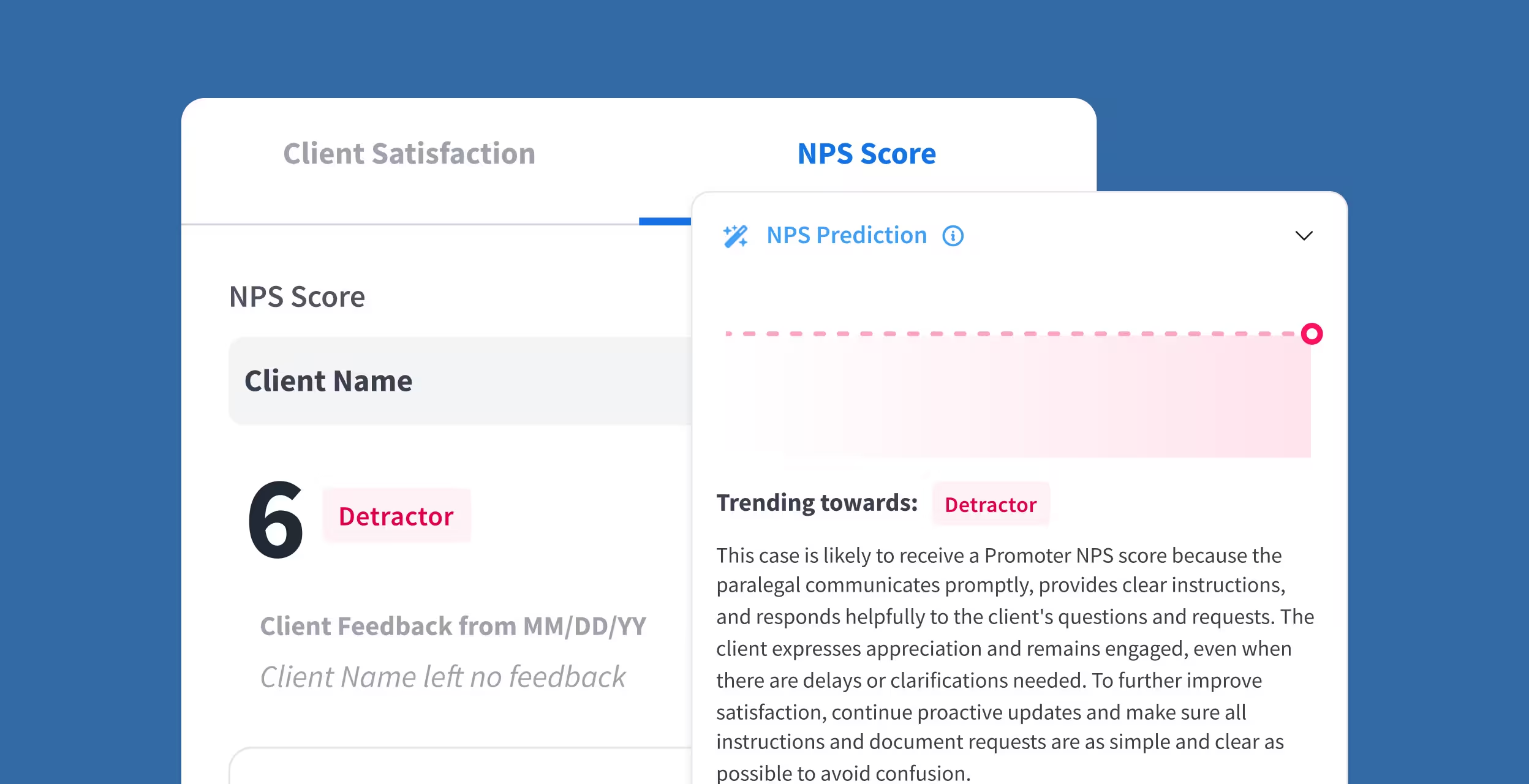
Case Status AI will analyze tone, keywords, and case history to identify anxious clients, time-sensitive questions, or potential escalations. Your team can prioritize these messages while also responding to all over queries.
User interface showing an NPS Score of 6 labeled as Detractor with a prediction panel explaining client satisfaction trends and suggestions for improvement.

Three Smart Recommendations

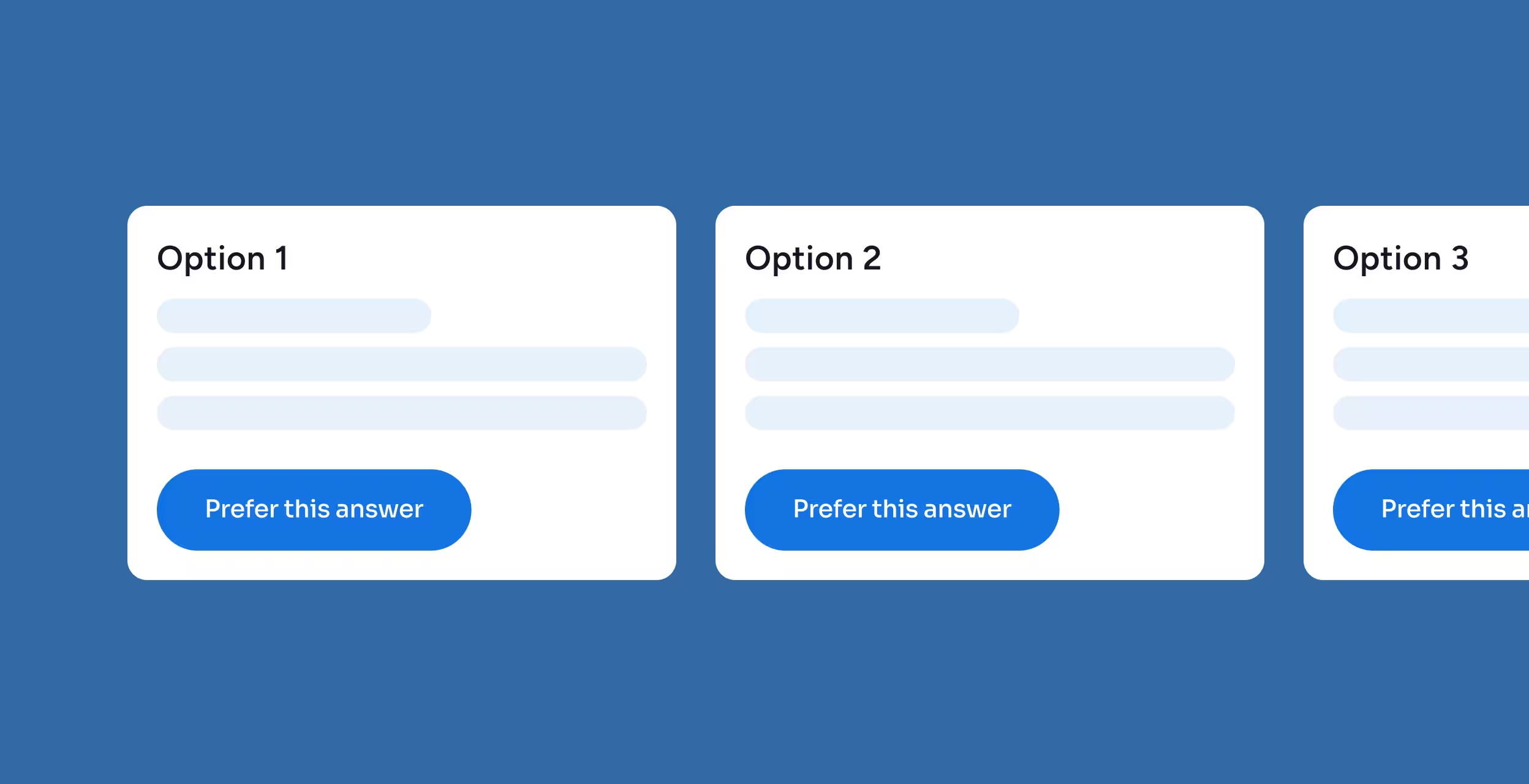
For every client message, receive three AI-generated reply options, perfectly catered towards answering the client’s question using a contextual understanding that removes the need to ask the client for already-known information.
Three option cards labeled Option 1, Option 2, and Option 3 on a blue background, each with placeholder text and a blue button labeled 'Prefer this answer.'

Flexible Tone Control

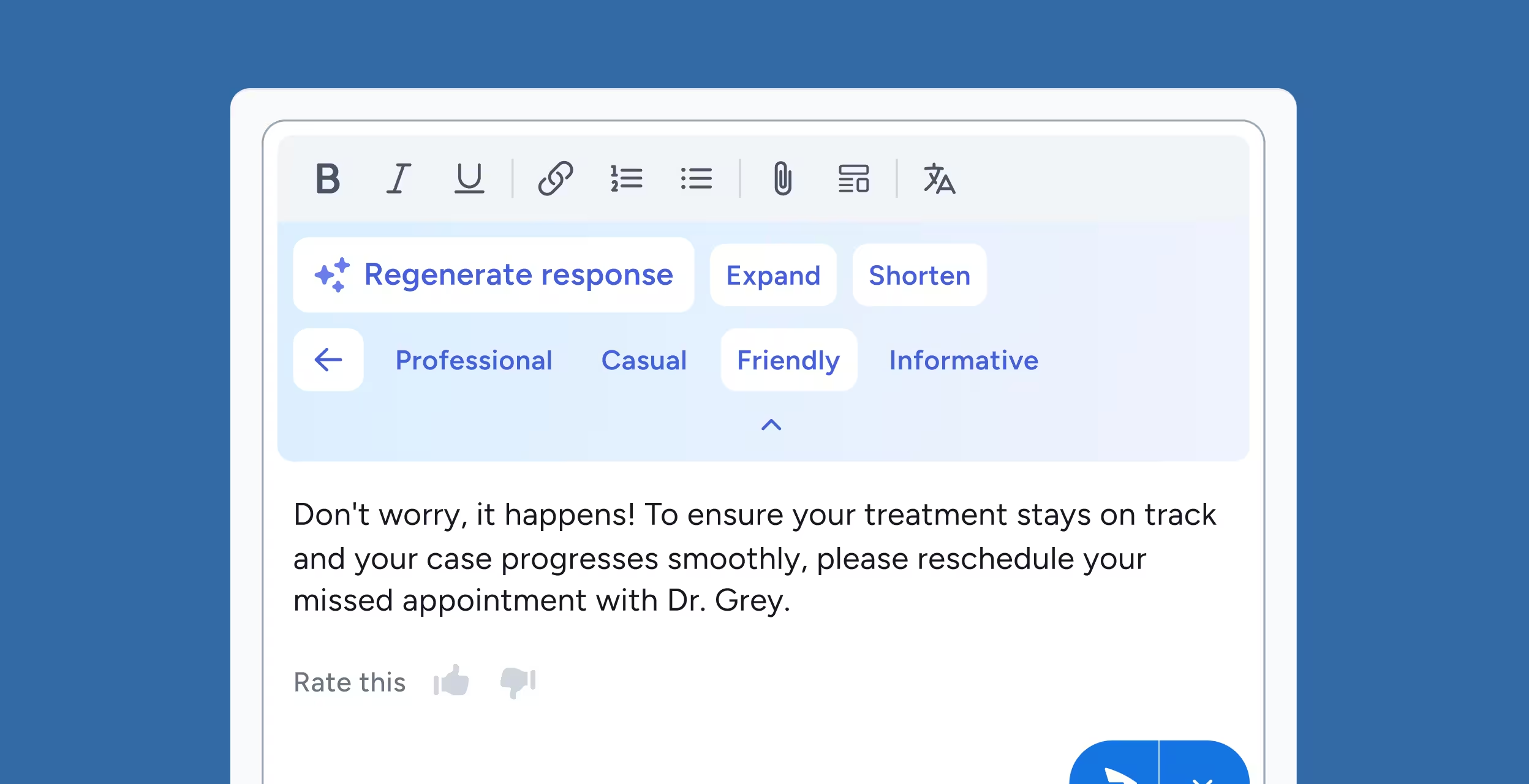
You’re in control of your tone. Choose between a professional, empathetic, formal, or conversational response tone on the fly, recommended based on client relationships and message context. With every messaging tweak, the AI learns about your preferred tones.
Chat interface with text editing options and a message suggesting to reschedule a missed appointment with Dr. Grey, including tone options like Professional, Casual, Friendly, and Informative.

Tech-Enablement

Benefit from managed APIs and freemium connection tools that link your existing case management system to Case Status, no IT ticket required.
Blue background with various white and light blue circular icons featuring abstract symbols.

Exclusive Membership Benefits

Join the Client Experience Tier by demonstrating a genuine commitment to excellence, and gain priority positioning in Statusphere.
Statusphere logo with button labeled Join the Client Experience and a cursor hand icon clicking it on a blue background.

AI-Powered Responses That Sound Like Your Firm

Your Firm's Knowledge Base

AI learns from your website content, approved message templates, and historical communication patterns—ensuring responses reflect your firm's voice, not generic templates.

Case Information Access

Recommendations pull from live case data, so responses reference actual case details (upcoming appointments, document status, next steps) without staff manually looking up information.

Staff Collaboration

Edits and refinements from all team members improve the system for everyone. High-performing response patterns get reinforced across the firm.

Bi-Directional Secure Messaging

Works within Case Status's secure message platform connecting client app directly to case management system—no separate tools or workflows.

Fast Responses That Strengthen Client Relationships, Not Weaken Them

Starting With Context, Not Templates

Unlike generic auto-responders, recommendations are built from actual case information and message history, making them relevant and personal from the start

Enabling Human Refinement

Staff maintain full control and can personalize every response before sending. AI handles the time-consuming first draft; humans add the relationship-building finishing touches.

Matching Emotional Tone

System analyzes client message tone (anxious, frustrated, grateful, confused) and recommends responses with appropriate empathy level. You don't send cheerful replies to worried clients.

Learning Your Standards

Every time staff edit a recommendation, the system learns what "good enough to send" looks like for your firm. Over time, recommendations require fewer edits as AI aligns with firm standards.

AI Message Response Software FAQs

How does message urgency CI determine which messages are urgent?

Message Urgency CI analyzes message content, sentiment, and context to identify what requires immediate attention. It’s designed to identify potential escalations or clients who are highly concerned and require immediate action.

Will AI-Generated responses sound robotic or generic to my clients?

Message Urgency CI relies on first-party data from your firm to ensure every output aligns with your firm’s tone, values, and communication style. Every message can be reviewed, edited, or refined before sending to make sure the response is consistent with your brand.

Can the AI access case information to personalize responses?

Yes. Message Urgency CI has the power to securely reference relevant case details, including client status and recent updates within Case Status. This ensures every response is accurate and up to date, and you never have to ask a client for information they have already provided.

What happens if the AI recommends a wrong or inappropriate response?

Your team is always in control. Every AI-generated reply can be reviewed and edited by your team before it is sent. Feedback from these edits teaches the AI to improve future responses. 

How does the system learn and improve over time?

The system learns from the edits your staff makes, the way clients respond, and how often an AI-generated response is accepted without edits. Over time, this creates responses that more closely mirror your firm’s language, tone, and preferences.

Respond Faster.
Build Stronger Relationships

Transform satisfied clients into powerful advocates for your firm with automated review and referral requests.